
How Protected Displays Are Transforming Operations Across High-Risk Industries | The Display Shield
Posted by Emilyann Allen on 7th May 2026
How Protected Displays are Transforming Operations Across High-Risk Industries
Across industries like AVI and security environments, food processing and grocery operations, and manufacturing and warehousing, it has become increasingly clear that standard screens are no longer built for modern operational demands.
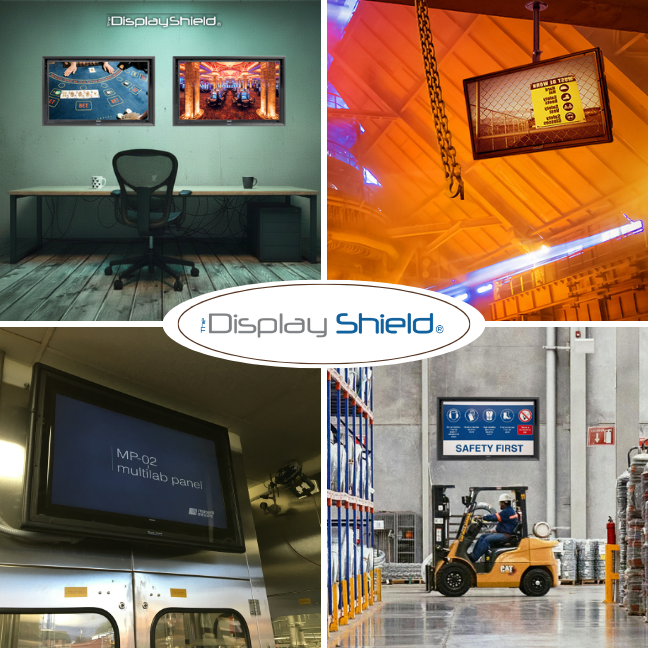
Today’s environments are faster, harsher, more connected, and far less forgiving of downtime. Displays are no longer just for “information.” They are now part of live operations, safety systems, logistics coordination, and security monitoring.
That shift is exactly why protected display systems are becoming essential infrastructure rather than optional equipment.
This article explores how protected displays are changing the way high-risk industries communicate, operate, and stay compliant in 2026.
Table of Contents
- Why standard displays fail in high-risk environments
- AVI and security
- Food processing and grocery
- Manufacturing and warehousing
- The hidden cost of unprotected screens
- How protected display systems improve ROI
- FAQ
Why Standard Displays Fail in High-Risk Environments
On paper, a commercial TV or monitor might seem sufficient. In practice, most standard displays are not designed for industrial conditions.
Across warehouses, food plants, and security control rooms, screens can be exposed to many threats....
Common Commercial Screen Threats:
- Dust, grease, and/or airborne particles
- Constant vibration from machinery
- Temperature fluctuations and humidity
- Accidental impact from equipment or staff movement
- 24/7 operational use cycles
Even minor exposure can shorten lifespan dramatically. What starts as a minor flicker or overheating issue often escalates into full-screen failure.
Protected display systems are designed specifically to reduce these risks by creating a physical barrier while maintaining visibility and touch or remote functionality where needed.
AVI and Security: Turning Displays into Real-Time Command Tools
In AVI and security environments, displays are not passive screens. They are active command centres.
Common AVI and Security Display Uses:
- Live CCTV monitoring
- Access control dashboards
- Incident response coordination
- Visitor tracking and alert systems
The challenge is that many of these screens are installed in semi-public or high-traffic areas where risk of tampering or impact is higher than in a traditional control room.
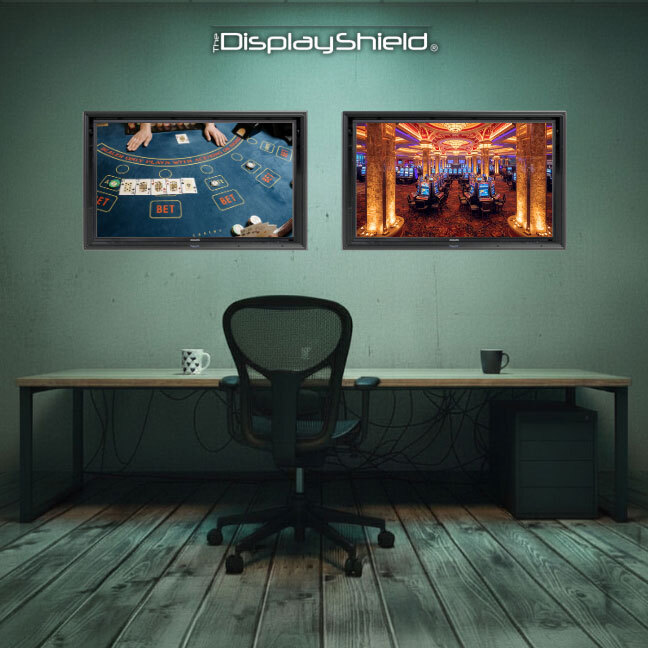
Protected displays help solve this by creating a secure, locked environment for screens while still allowing full visibility and interaction.
For example, a security monitoring screen in a reception area or perimeter control point needs to remain visible at all times, while also being protected from accidental contact or interference. A sealed enclosure ensures uptime without restricting functionality.
Food Processing and Grocery: Compliance, Hygiene, and Uptime
Food environments introduce a different set of challenges. It is not just about durability, but also cleanliness and compliance.
In food processing plants and grocery distribution centres, displays have a variety of uses.
Common Food Processing and Grocery Display Uses:
- Production line monitoring
- Temperature and safety compliance dashboards
- Inventory and logistics tracking
- Quality control reporting
These environments are often washed down, exposed to moisture, or subject to strict hygiene protocols.
A protected display solution is critical here because it allows screens to be used in areas where direct exposure to water, dust, or cleaning chemicals would normally make standard electronics unsuitable.
This reduces the need to relocate screens into less efficient areas and keeps critical information exactly where operators need it.
Manufacturing and Warehousing: Operational Visibility at Scale
Manufacturing floors and warehouses rely heavily on real-time data.
Ways Screens are Often Used in Manufacturing and Warehousing:
- Production targets and output rates
- Machine status dashboards
- Pick-and-pack instructions
- Safety alerts and shift updates
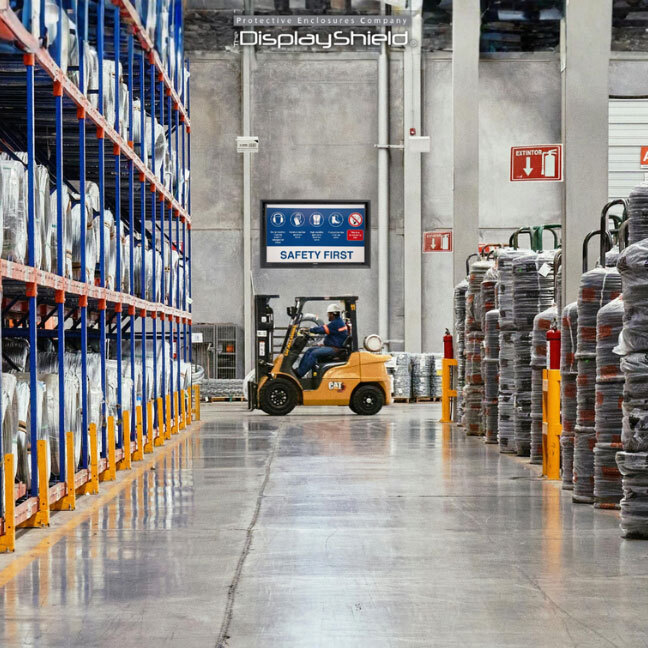
The issue is that these environments are physically demanding. Forklifts, pallet movement, conveyor systems, and constant workflow activity all increase the risk of impact or damage.
Protected displays act as a safeguard, ensuring that key operational dashboards remain visible and functional even in high-traffic zones.
They also support scalability. As operations grow, more screens are added across the facility.
Without protection, maintenance costs and failure rates increase quickly. With protection, systems remain stable and predictable.
The Hidden Cost of Unprotected Screens
The upfront cost of a standard commercial display might seem attractive, but the real expense shows up over time.
|
What Happens Without Protection |
Operational Impact |
|
|
Screen Replacement |
Frequent failures in harsh areas |
Increased capital expenditure |
|
Downtime |
Screens taken offline unexpectedly |
Production or communication delays |
|
Maintenance |
Constant repairs or swaps |
Higher technician workload |
|
Relocation |
Moving screens to safer areas |
Reduced operational efficiency |
|
Data Disruption |
Lost visibility on live systems |
Increased risk and slower response times |
In high-risk environments, the cost of downtime often exceeds the cost of the hardware itself.
How Protected Display Systems Improve ROI
Return on investment is often where display protection systems like The Display Shield prove their value.
On the surface, adding protection to a screen might seem like an extra cost. In reality, it often reduces total spend over time by preventing avoidable failures and keeping operations running smoothly.
In high-risk environments, screens are not just hardware. They are part of daily workflows.
When a display goes down, it is not just a replacement cost. It can slow production, disrupt communication, or even create safety risks.
Protected display systems help shift that equation. Instead of reacting to failures, businesses move toward a more predictable, standardised setup across sites and departments.
|
Without Protection |
With Protected Displays |
|
|
Hardware Lifespan |
Frequent replacements due to damage |
Extended lifespan through physical protection |
|
Maintenance Costs |
Ongoing repairs and technician callouts |
Reduced interventions and lower service costs |
|
Downtime |
Unplanned outages disrupt operations |
Greater uptime and operational continuity |
|
Site Consistency |
Different setups across locations |
Standardised installations across multiple sites |
|
Screen Placement |
Limited to “safe” areas only |
Can be installed where they are actually needed |
|
Safety and Compliance |
Reduced visibility in critical zones |
Clear, consistent access to real-time data |
Another important factor is scalability. For organizations managing multiple facilities, standardizing protected display setups simplifies procurement, installation, and maintenance.
Teams know exactly what to expect, and spare parts or replacements can be managed more efficiently.
There is also a layout advantage that often gets overlooked. Without protection, screens are often installed in less exposed, less useful areas just to avoid damage.
With a protected solution, displays can be positioned closer to the action, whether that is on a factory floor, in a warehouse aisle, or near a security checkpoint. That improves visibility and speeds up decision-making.
Over time, these gains add up. Fewer replacements, less downtime, and better operational flow all contribute to a stronger return on investment, even if the initial setup cost is slightly higher.
FAQ
What is a protected display system?
It is a screen enclosure or protective housing designed to shield digital displays from environmental damage, impact, dust, and moisture while maintaining visibility and usability.
Where are protected displays most commonly used?
They are widely used in AVI and security environments, food processing facilities, grocery distribution centres, manufacturing plants, and warehouse operations.
Do protected displays affect screen performance or visibility?
No. They are designed to maintain full visibility while adding a protective layer. Placement and lighting still play a role in overall clarity.
Can protected displays be used in washdown or hygiene-sensitive areas?
Yes. In food processing and grocery environments, they are often used specifically to protect screens from moisture and cleaning processes. Check directly with the manufacturer for chemical resistance for specific enclosures.
Are protected displays only for industrial environments?
No. While they are most common in high-risk industries, they are also used in semi-public areas like reception zones, security checkpoints, and retail back-of-house or patio spaces.
Do protected displays support touchscreens and interactive systems?
Yes, certain protected display solutions, such as The TV Shield PRO, are designed to support touch functionality while still maintaining a sealed protective barrier.
How do protected displays help reduce operational downtime?
By preventing damage to screens in harsh environments, they reduce unexpected failures, which helps maintain continuous access to critical operational data and systems.